TIN Matching Status Change
This webhook can be configured to receive real-time notifications about the status of Standard TIN Matching initiated for your recipients.
If TIN Matching is opted as part of Form W-9 or WhCertificate endpoints, the status will be provided in the corresponding webhook events (WhCertificate Status Change or Form W-9 Status Change).
Steps to Configure
-
Log in to Developer Console
Navigate to 'Settings' → 'Webhook Notifications'. -
Add a webhook
Click 'Add Webhook' and select the event type 'TIN Matching Status Change'.
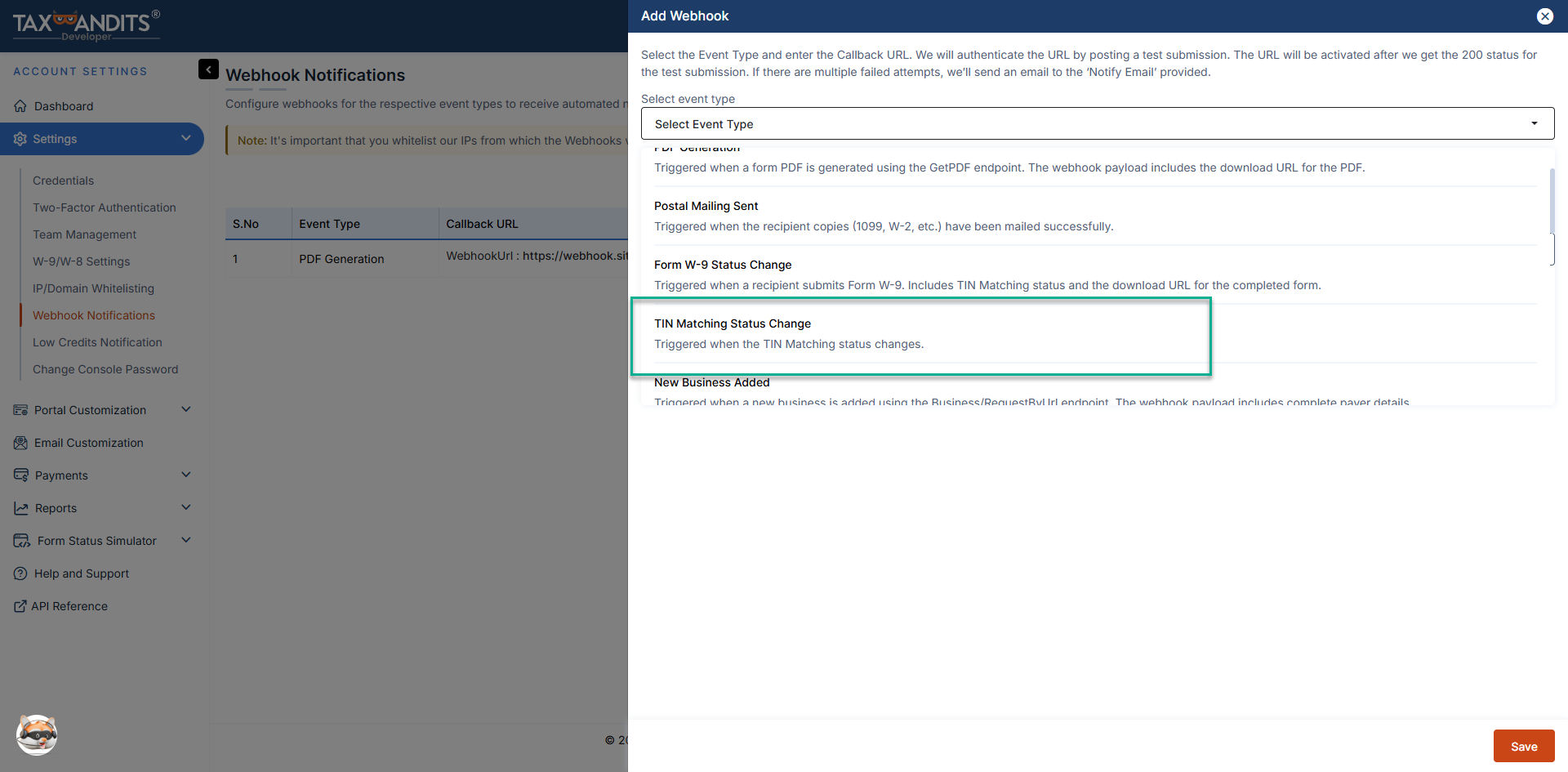
-
Provide a callback URL
Enter a valid HTTPS callback URL (maximum 500 characters). Ensure that your callback URL follows these best practices.- The API validates this URL by sending a sample JSON payload.
- The webhook will be activated only after your endpoint responds with an HTTP 200 status code.
-
Configure a notification email
Provide a notification email address. TaxBandits will use this email to alert you if webhook delivery attempts fail.
Statuses available
The following are the different statuses available for TIN Matching.
- Order Created - The TIN Matching order is created in Taxbandits. The TIN Matching request is yet to be sent to the IRS.
- Success - The recipient’s Name and TIN combination match the IRS records.
- Failed - The recipient’s Name and TIN combination do not match the IRS records.
Receiving webhook requests
Once the webhook is configured and the callback URL is successfully authenticated, TaxBandits will send an HTTP POST request to your callback URL whenever a filing status changes.
Each request contains a JSON payload with submission details and record-level status information.
Sample webhook payload
    {
        "SubmissionId": "d77a9c79-7c0f-48cc-b43b-62bd88f76818",
        "RecordId": "3e8092d9-6615-467f-9112-ab2c2c5c64f8",
        "SequenceId": "qq45",
        "RecipientId": "8a987db5-2d66-4183-a427-74696bccf853",
        "Name": "William Carter",
        "TINType": "EIN",
        "TIN": "XX-XXX8050",
        "Status": "SUCCESS",
        "StatusTs": "2023-11-24 02:17:42 -05:00",
        "NumOfAttemptsRmng": null,
        "Errors": null
    }
Responding to webhook requests
Your application must respond with HTTP 200 OK to acknowledge receipt of a webhook request.
- Any response other than 200 is treated as a failed delivery
- HTTP redirects (301) are not supported and are treated as errors
- Your endpoint must respond within 5 seconds, or the request is considered a timeout
If a webhook delivery fails or times out, TaxBandits will retry the request up to 9 times within 24 hours.
Validating webhook requests
Before processing a webhook payload, you must verify that the request originated from TaxBandits.Refer to the Webhook validation documentation to learn how to authenticate incoming webhook requests.