BanditCash
How it works
-
Add funds – Deposit money into your BanditCash from the Developer Console. See how
-
Ensure seamless transactions – Filing fees will be automatically deducted from your BanditCash based on the form/service type and quantity. The deduction will occur at the time of submission or when a chargeable action is triggered (E.g., TIN Matching, W-9 request).
-
Enable Auto Reload (Optional) – Set a minimum balance threshold so your wallet reloads automatically, helping you avoid filing interruptions. See how
-
Track everything – View all wallet activity, including fund additions and deductions, through your BanditCash transaction history in your Developer Console —> Payments —> Purchase History.
-
Funds added to BanditCash do not expire. You can use them anytime to complete your filings.
-
If you’re already using credits, your existing credits will remain valid until June 30, 2025. After that, any unused credits in your account will be automatically converted to an equivalent BanditCash balance. No action is required from your end.
-
BanditCash does not impact your existing pricing structure. It simply acts as a wallet—your filing/service fees will be deducted from this balance as per the Agreement Pricing. You can check your pricing in Developer Console —> Payments —> Agreement Pricing.
Steps to add money to BanditCash
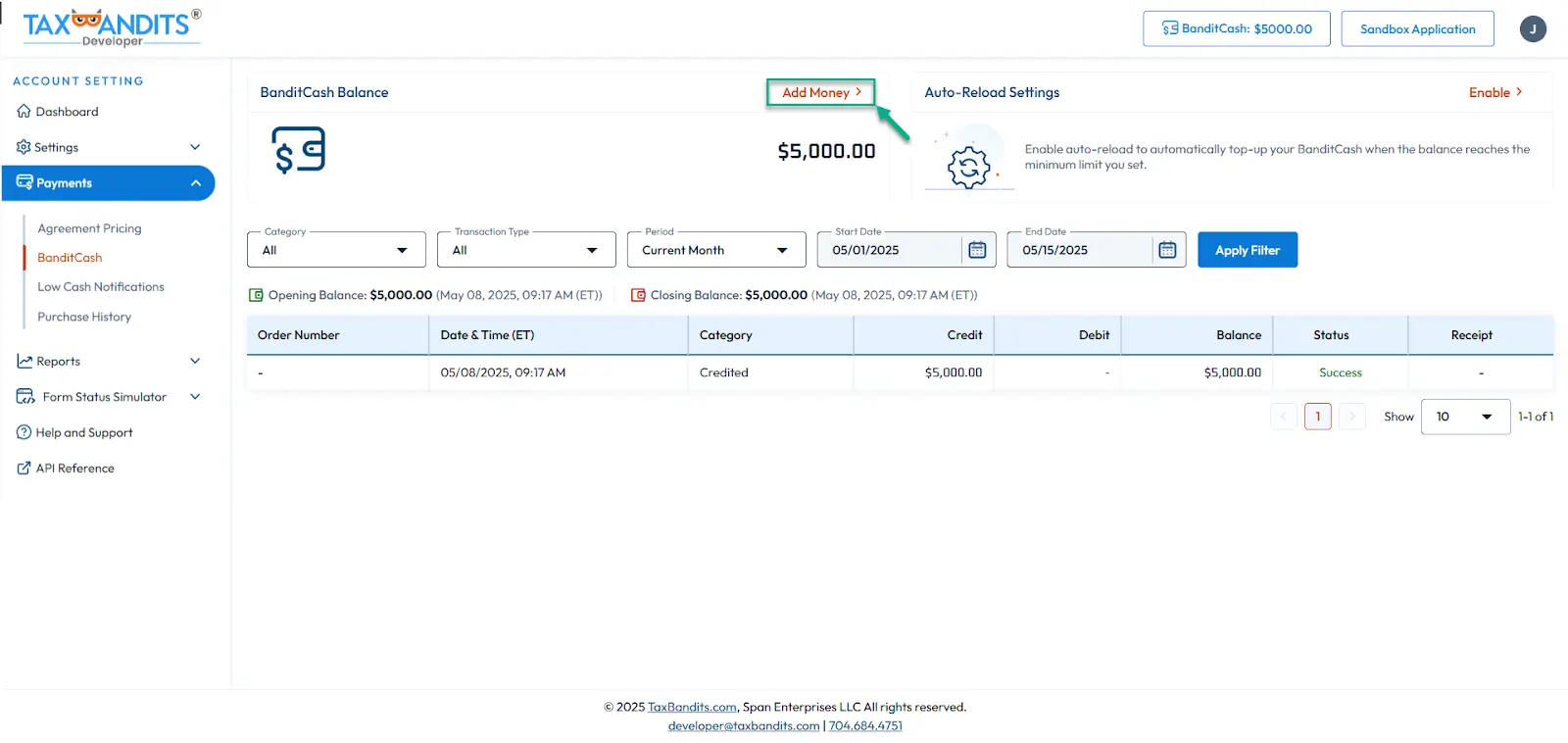
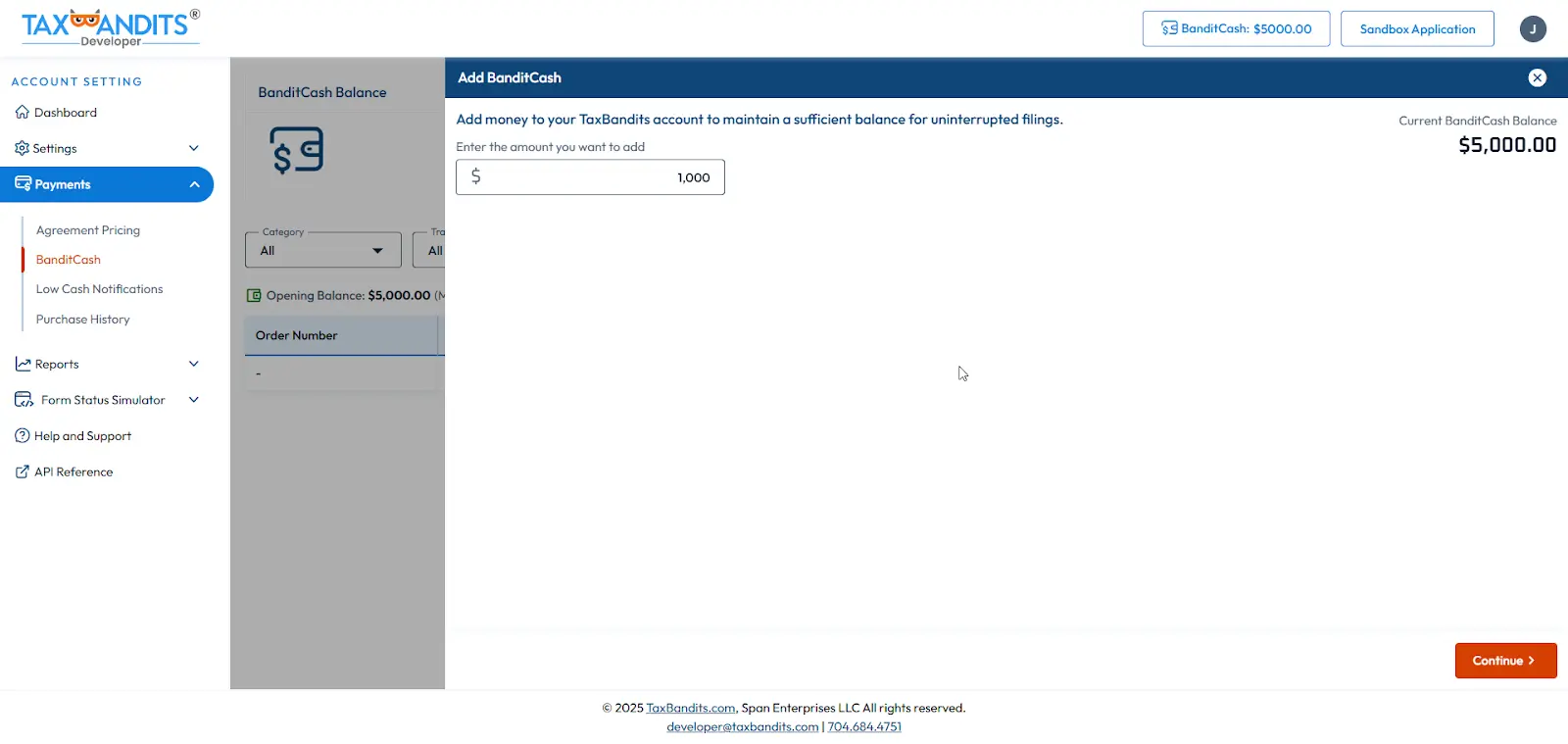
You can easily add funds to your TaxBandits account to keep your BanditCash balance adequate for filings. This ensures that your account has enough balance to continue your tax filings without interruption.
Here is how you can add money:
- Log in to your Developer Console
- Navigate to Payments —> BanditCash
- You can add funds to your account
How to enable auto-reload
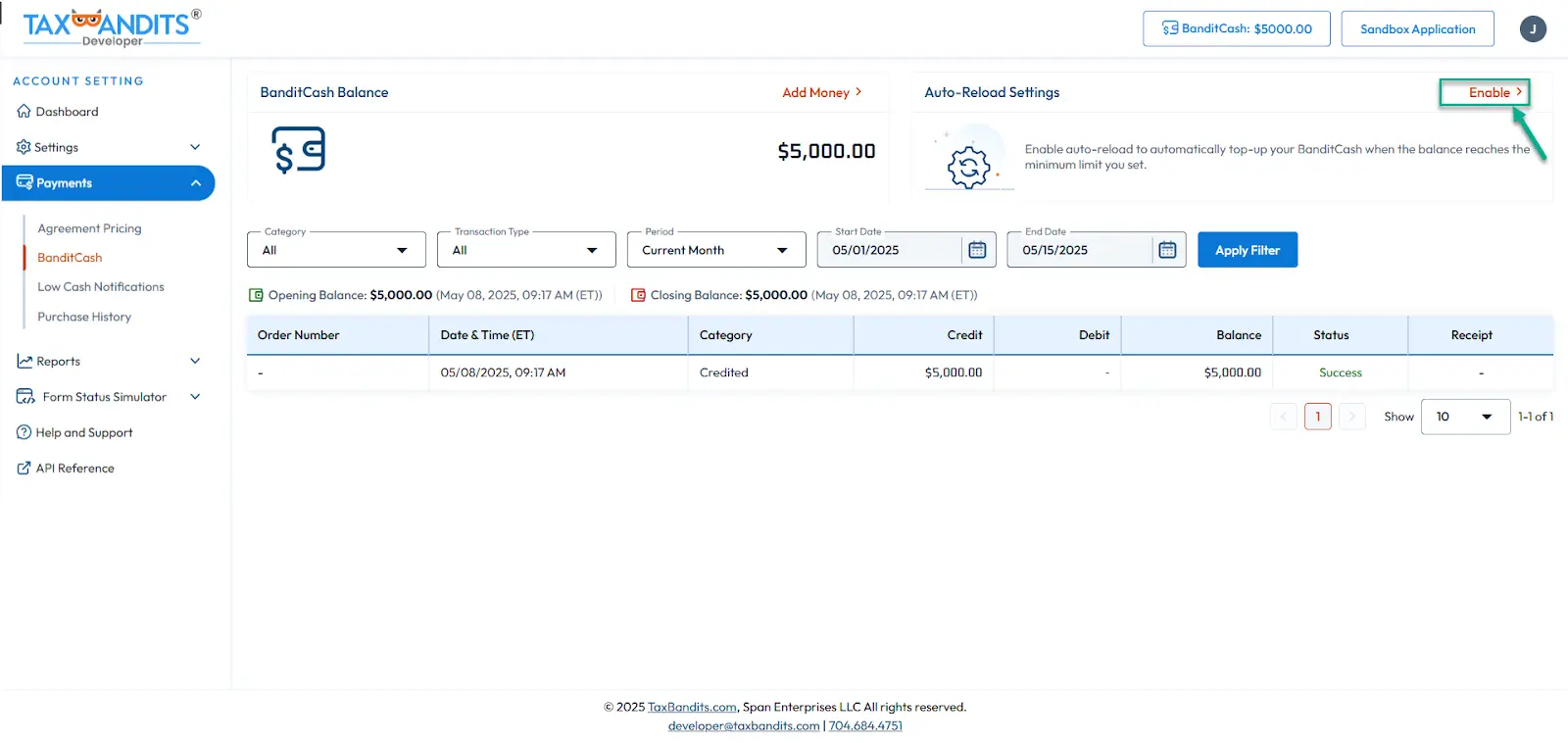
BanditCash can be set to auto-reload once your balance falls below the minimum limit. We recommend you enable this feature to ensure that you never run out of funds for
tax filings.
Here is how you can enable auto-reload:
- Log in to your Developer Console
- Navigate to Payments —> BanditCash
- Set the minimum threshold for BanditCash balance to trigger auto-reload. Then, enter the amount to reload when the minimum balance is reached.
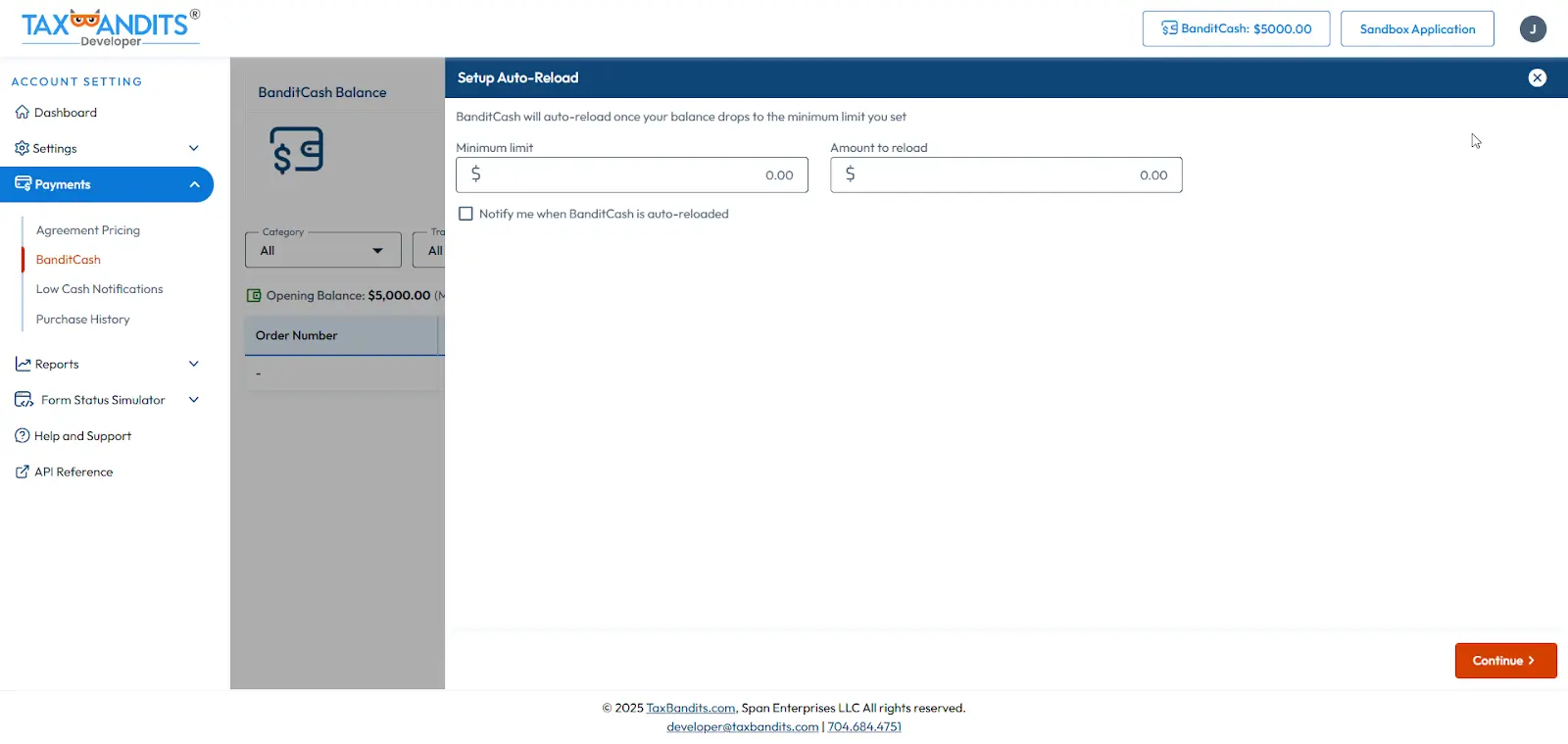
Once you enable auto-reload, it applies across all forms — no need to set up renewal threshold separately for each form/service type.
Low Cash Notifications
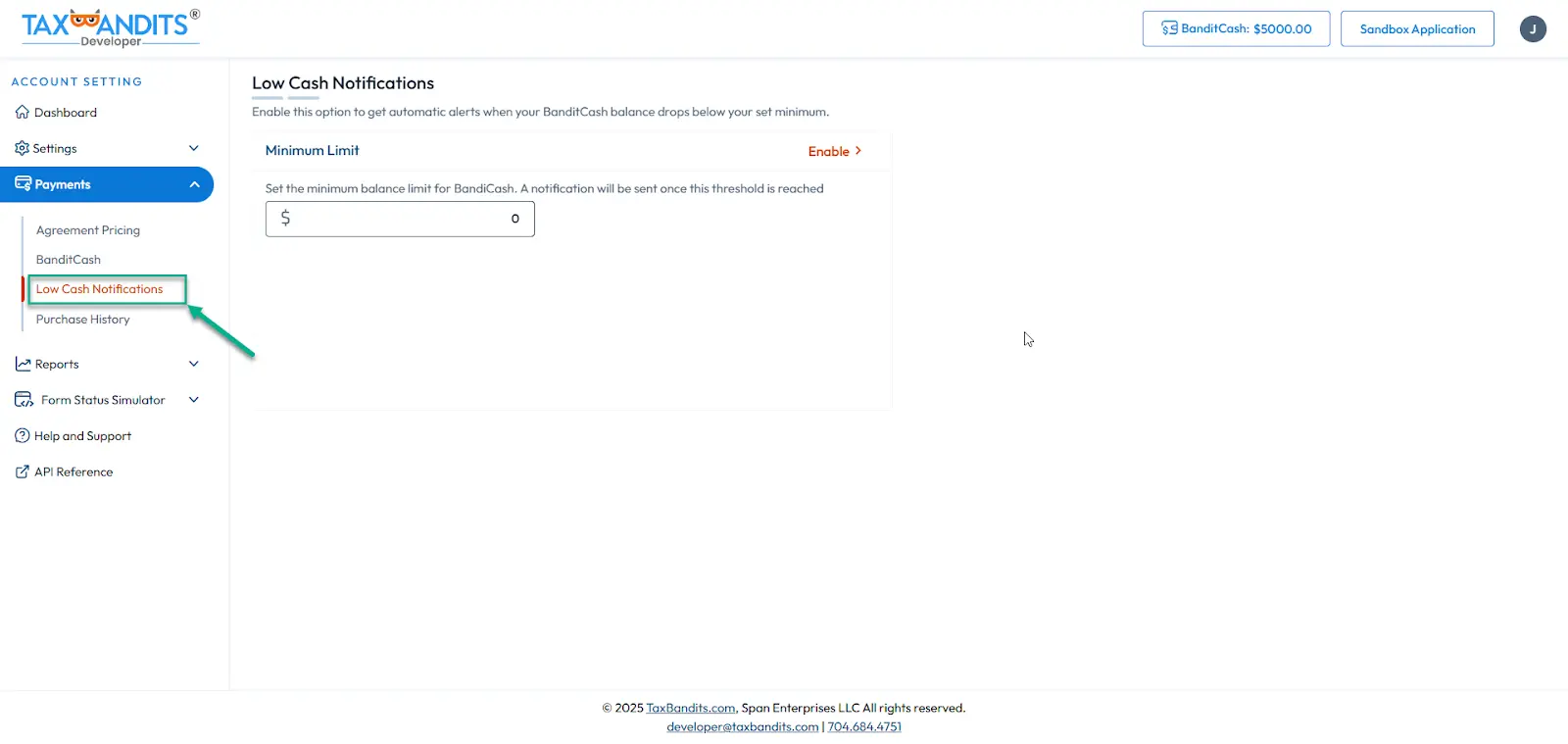
Low Cash Notifications alert you when your BanditCash balance drops below your set minimum. Notifications are sent to the registered email address, and additional email addresses can be added for further notifications.
Here is how you can enable low cash notifications:
- Log in to your Developer Console
- Navigate to Payments —> Low Cash Notifications
- Set the minimum BanditCash balance that triggers the notification.
- Add the list of email addresses to notify when the balance reaches the minimum limit.
- We need to add information about the existing pricing structure and does that change
- When the amount is detected from their waller>
- Where they can see the Transaction history.
- How auto wallet renewal is advantageous over auto credit renewal. The auto wallet renewal is common across forms and the user do not have to choose each credit type is enable auto renewal.
- What happens to existing users? Will the current system remain, or will they have to contact the developer to switch over?
- If the user already has have credits, how will they be converted to Bandit Cash?
- If the user has added auto credit renewal, how should switch to auto wallet renewal?