Credit Auto-Renewal
Managing prepaid credit balances manually can become challenging, especially when processing a high volume of filings. To prevent interruptions due to insufficient credits, TaxBandits provides a Credit Auto-Renewal feature.
How it works
Credit Auto-Renewal automatically adds credits to your account when the balance for a selected service falls below a defined minimum threshold.
- Set a minimum credit limit for each service
- Define the number of credits to be added when the threshold is reached
- Select the payment method to be used for renewal
Once enabled:
- Credits are replenished automatically
- You receive an email notification for each renewal
This ensures uninterrupted access to filing and API operations.
How to enable credit auto-renewal
Follow these steps in your developer console:
-
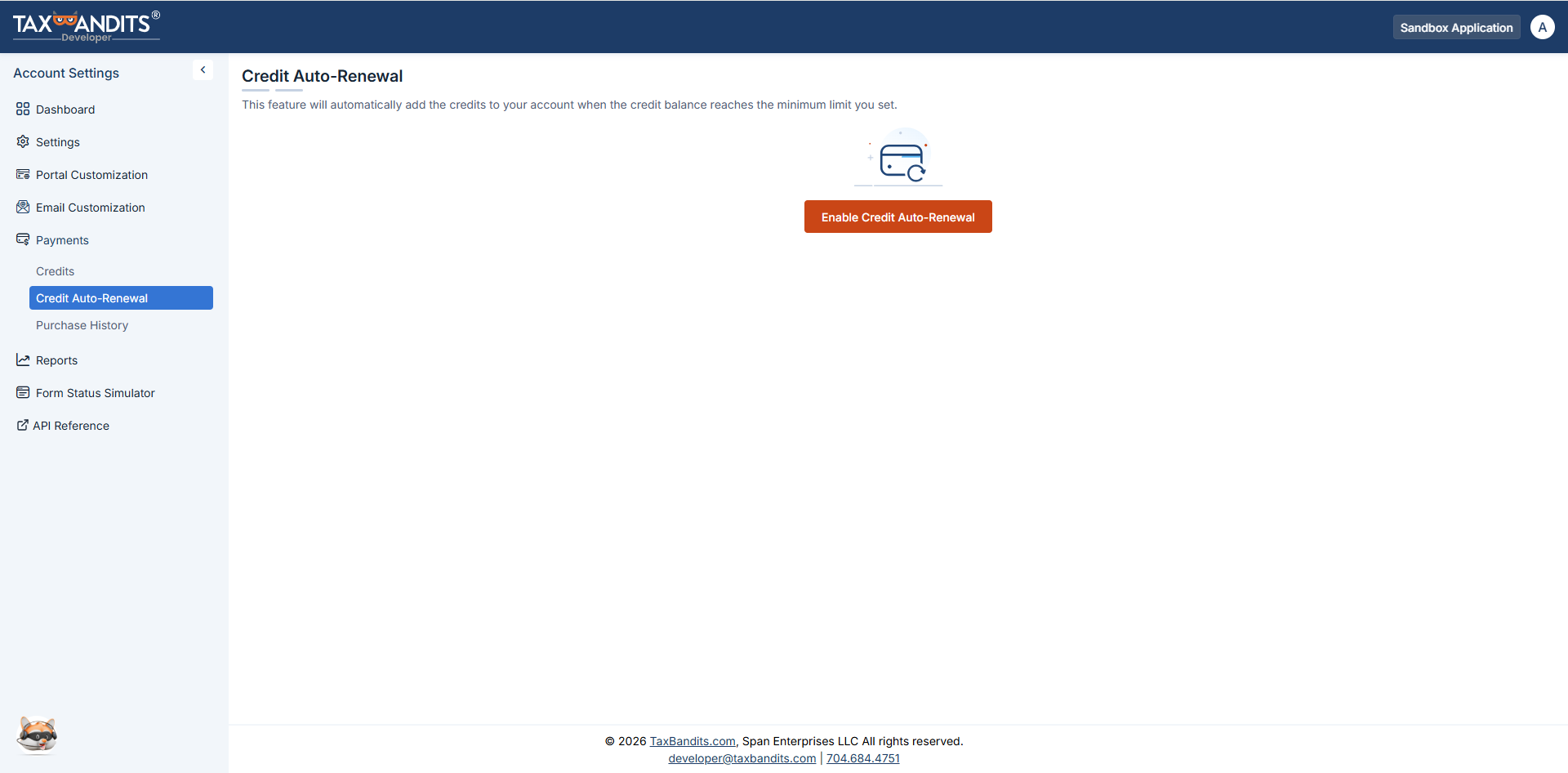
Navigate to Payments → Credit Auto-Renewal. Click Enable Credit Auto-Renewal.
-
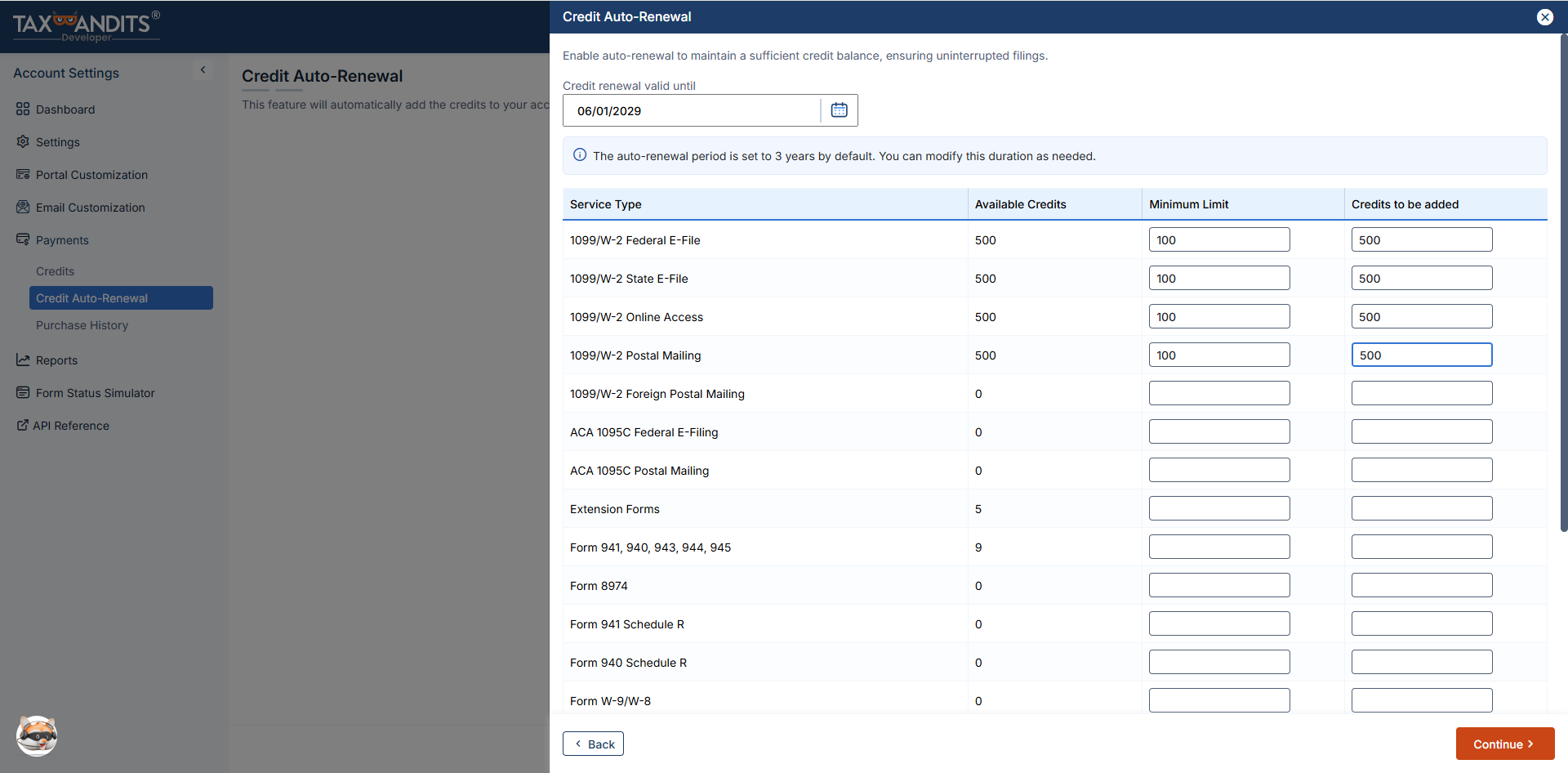
You'll find the list of services and the available credits for each of them. Set the minimum threshold for each service and the number of credits to add upon renewal.
-
Select the credit card to be charged and click Set Payment to activate auto-renewal
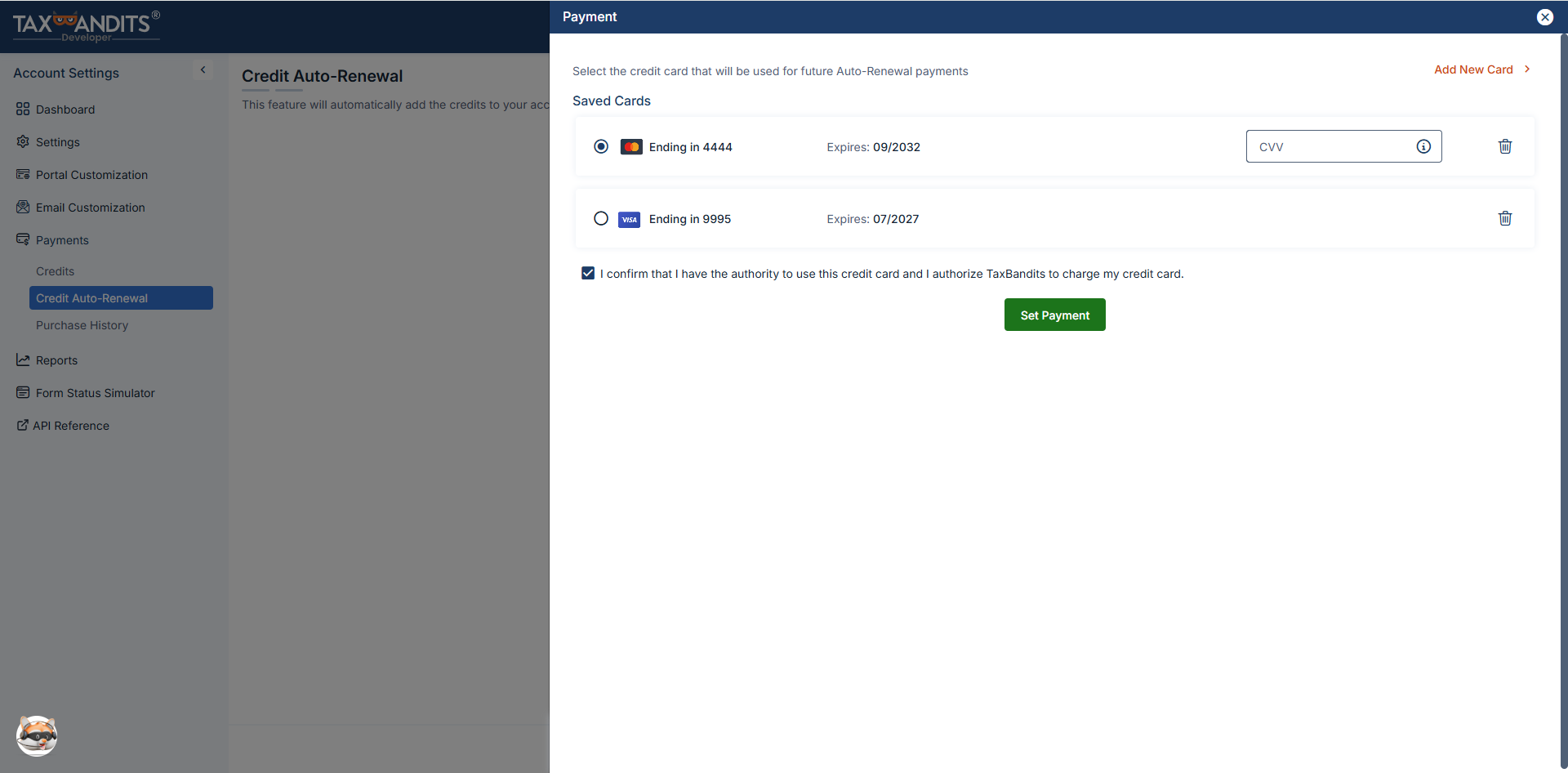
Once enabled, credits will be automatically added based on your configuration, and you will receive an email confirmation for each renewal.
Key benefits
- Prevents filing interruptions due to low credit balance
- Reduces manual monitoring of credit usage
- Ensures continuous processing for high-volume workflows