Credits Management
The TaxBandits API enables you to fund your account in advance using credits and use them toward filing forms, transactions, and related services.
Instead of paying per transaction, you can purchase credits upfront and consume them as you submit filings or perform services through the API.
Credit Categories
Credits are categorized based on the service type. When purchasing credits, select the appropriate category:
- W-2 / 1099 / 1095-C Forms
- 94x Forms
- W-9 / W-8 / 1099 Transactions
- State Filings
Each category maintains an independent balance and has its own pricing structure.
Credit Purchase
Follow these steps to purchase credits:
- Log in to your Developer Console. Navigate to Payments.
- Select the Credits tab to view your current balance.
- Click Buy Credits.
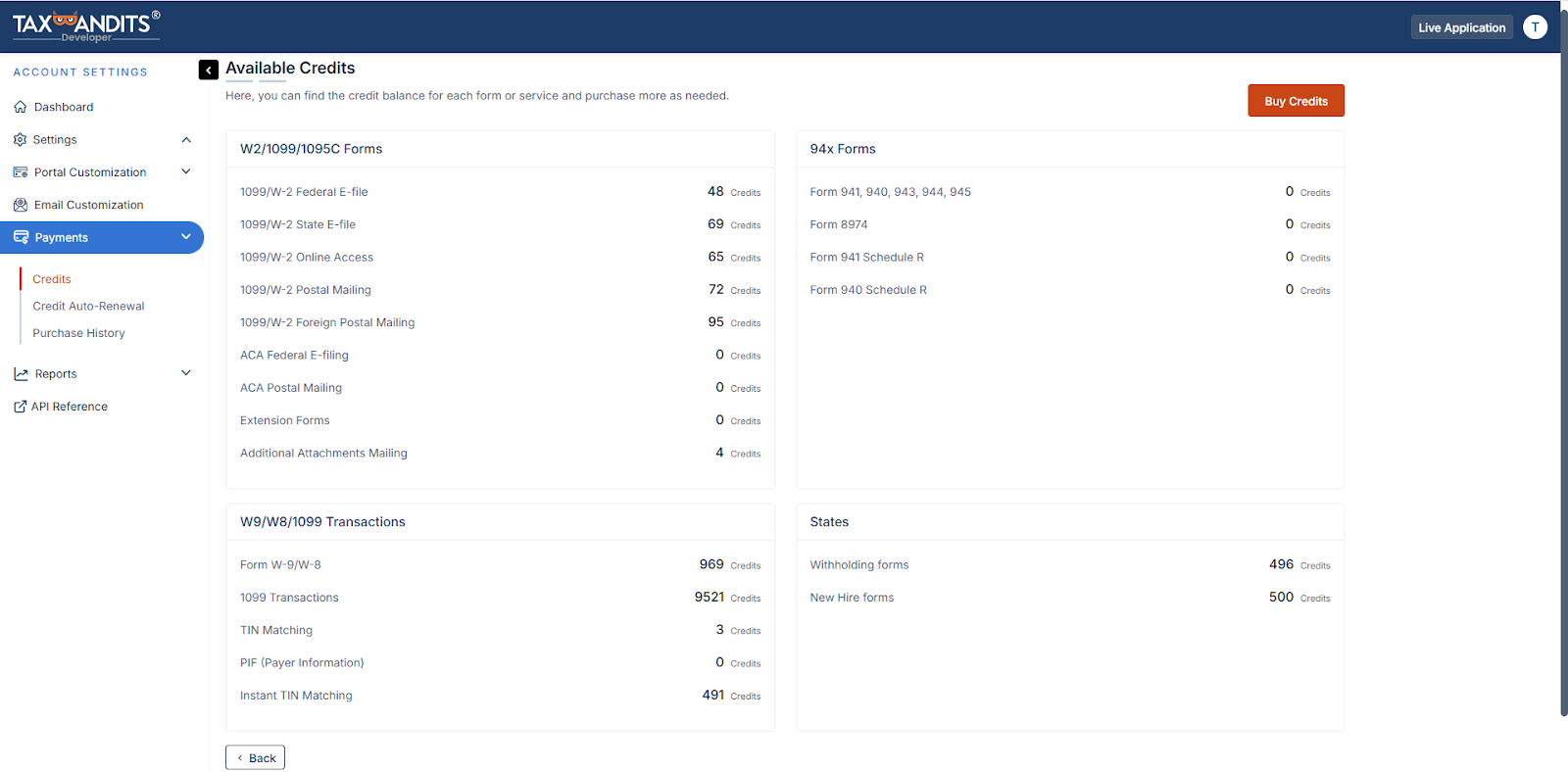
- Choose the required credit category. (e.g., 94x Forms, State Filings)
- Click Continue to Buy Credits.
- Enter the required number of credits you want to add.
- Click Complete Your Order and make the payment.
Important Notes
- Charges will appear on your credit card statement as TaxBandits.
- The credit card used acts as the primary transaction identifier.
- Disputing a charge may result in submitted forms being voided with the IRS/SSA.
Credit Usage
-
Credits are automatically consumed when you:
- Transmit forms
- Perform TIN Matching
- Process W-9 / W-8 requests
- Execute supported API operations
-
If sufficient credits are not available, the request will fail until credits are added.