Low Credit Notification
If you prefer to monitor your credit balance without enabling auto-renewal, TaxBandits API provides a Low Credit Notification feature.
This allows you to receive alerts when your credit balance falls below a defined threshold, so you can take action before it impacts your filings.
How it works
- Set a minimum credit limit for selected services
- When the available credits fall below this limit, an email notification is triggered
- Notifications can be sent to one or more recipients
This helps you stay informed and avoid unexpected interruptions in your workflow.
How to enable low credit notifications
Follow these steps in your developer console:
-
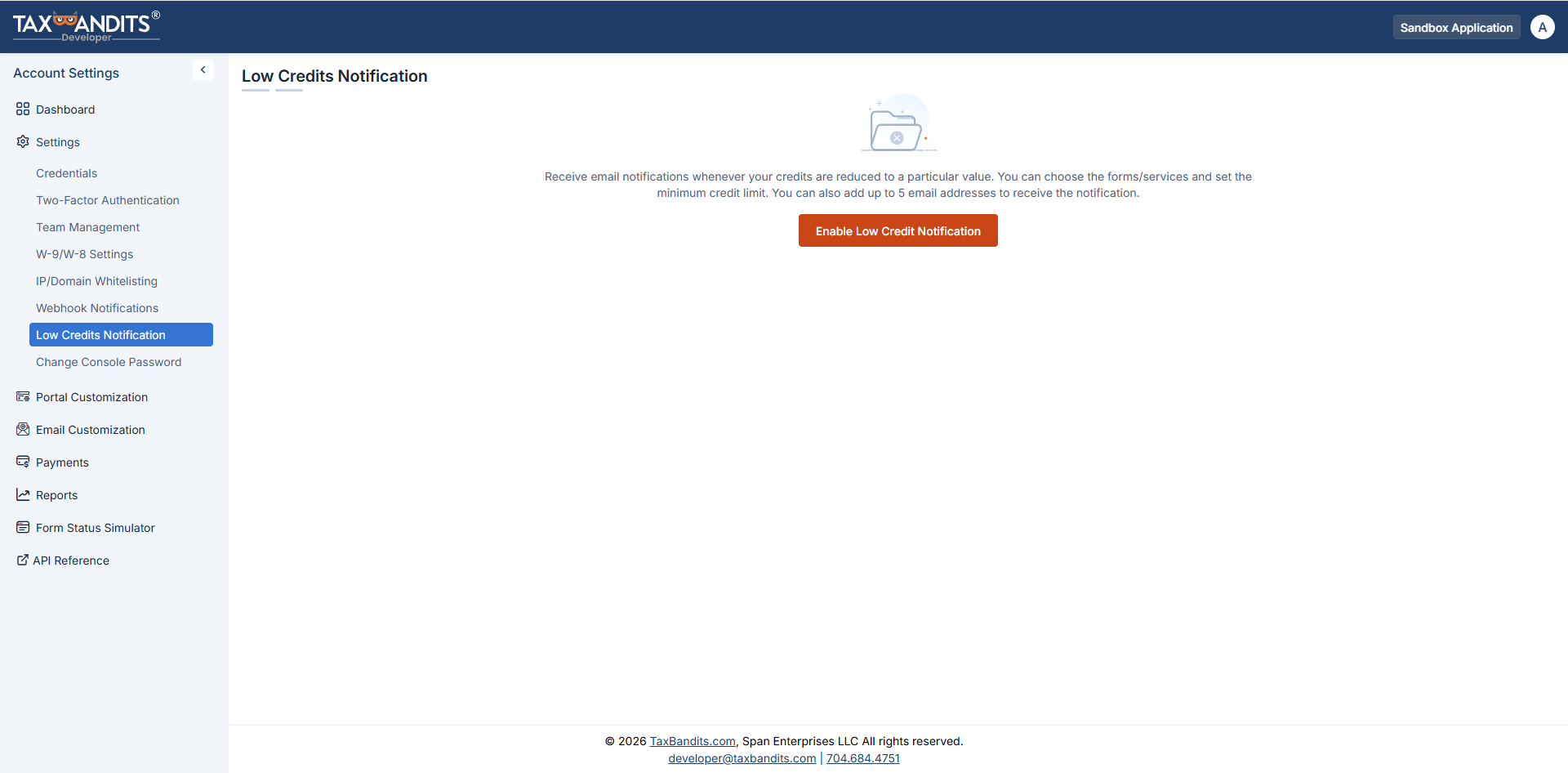
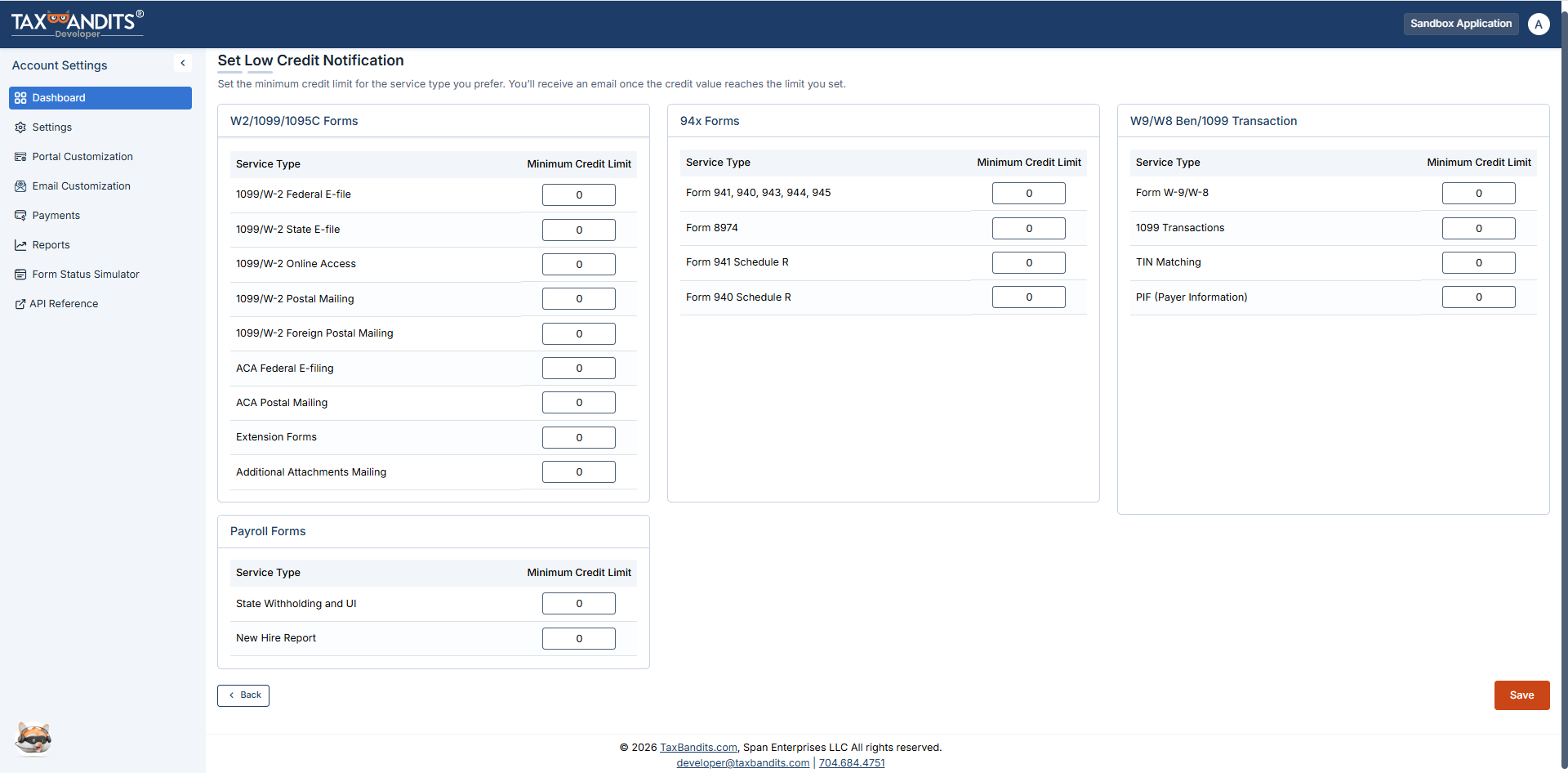
Navigate to Settings → Low Credit Notification. Enter the minimum credit limit for the services you want to monitor and click Save.
-
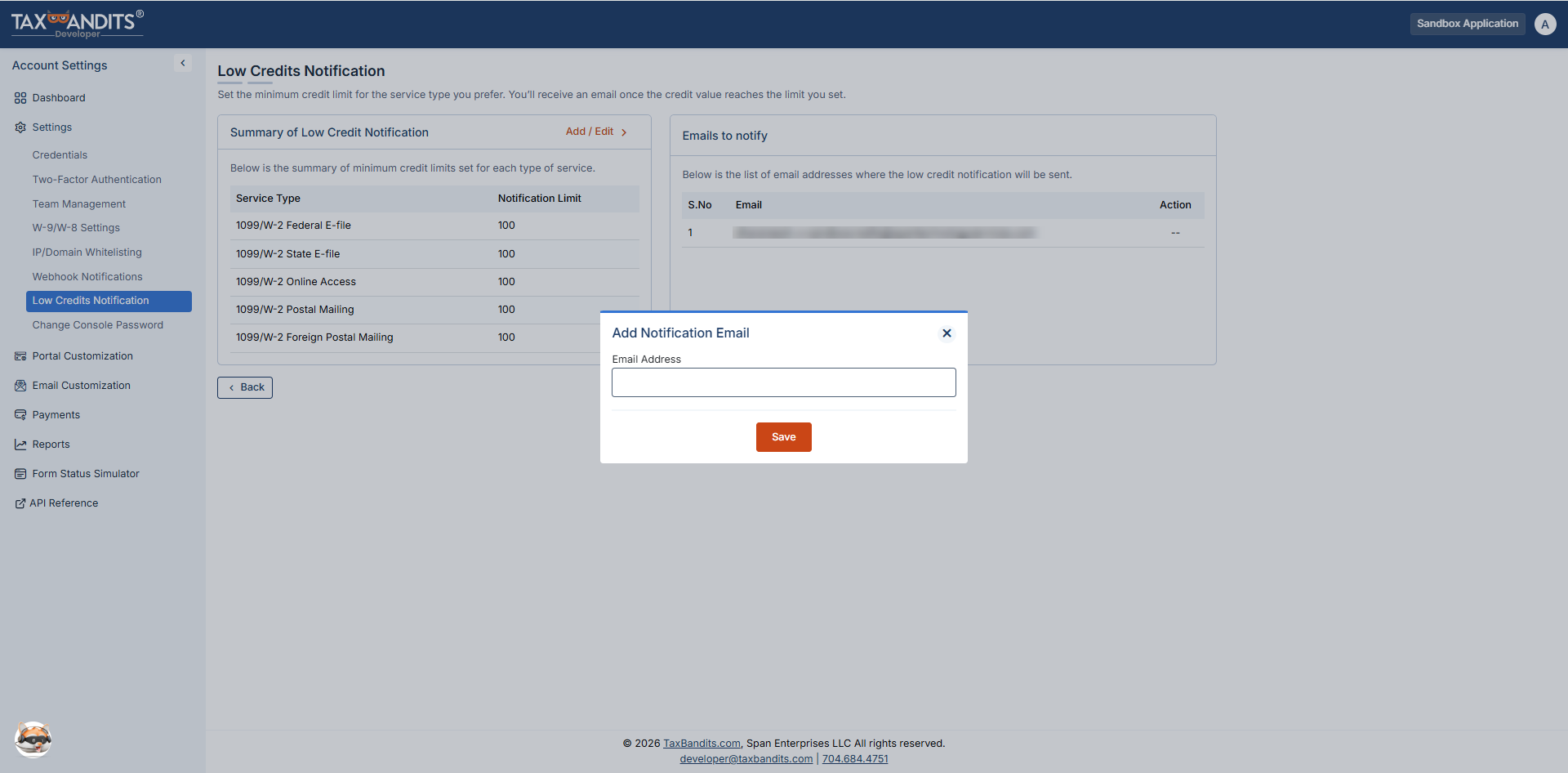
Provide the email addresses to which you want to be notified and click 'Save'. You can add multiple email addresses if needed.
-
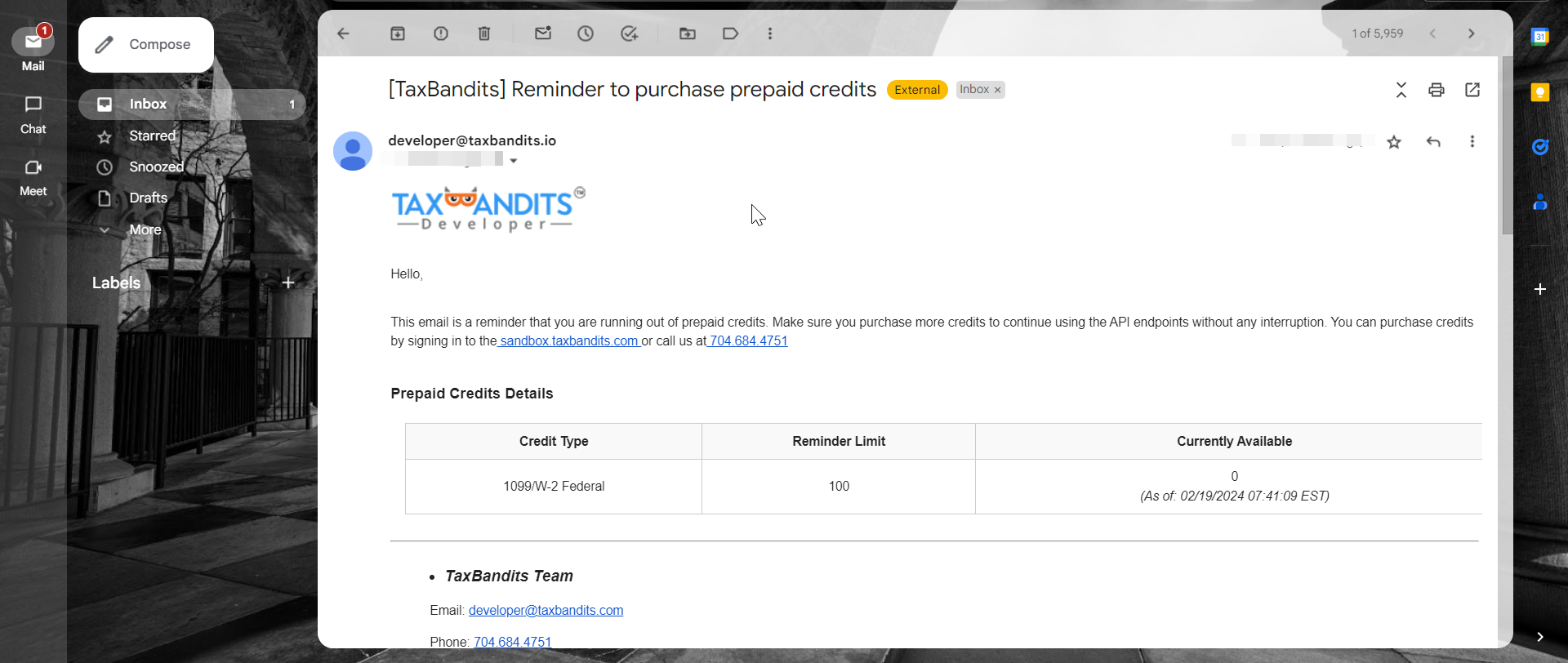
If the credit balance goes below the minimum limit you set for any of the forms/services, you’ll get an email notification.
Key benefits
- Helps you proactively monitor credit usage
- Prevents unexpected failures due to low balance
- Ideal for teams that prefer manual control over credit purchases