BanditCash Auto-Reload
To ensure uninterrupted access to filing and API services, TaxBandits allows you to enable BanditCash Auto-Reload.
This feature automatically replenishes your wallet balance when it falls below a defined threshold, so you don't run out of funds during critical operations.
How it works
- Set a minimum wallet balance threshold
- Define the amount to be reloaded when the threshold is reached
- Funds are automatically added to your BanditCash wallet using your selected payment method
How to enable auto-reload
Follow these steps to enable BanditCash auto-reload in your developer console:
-
Navigate to Payments —> BanditCash
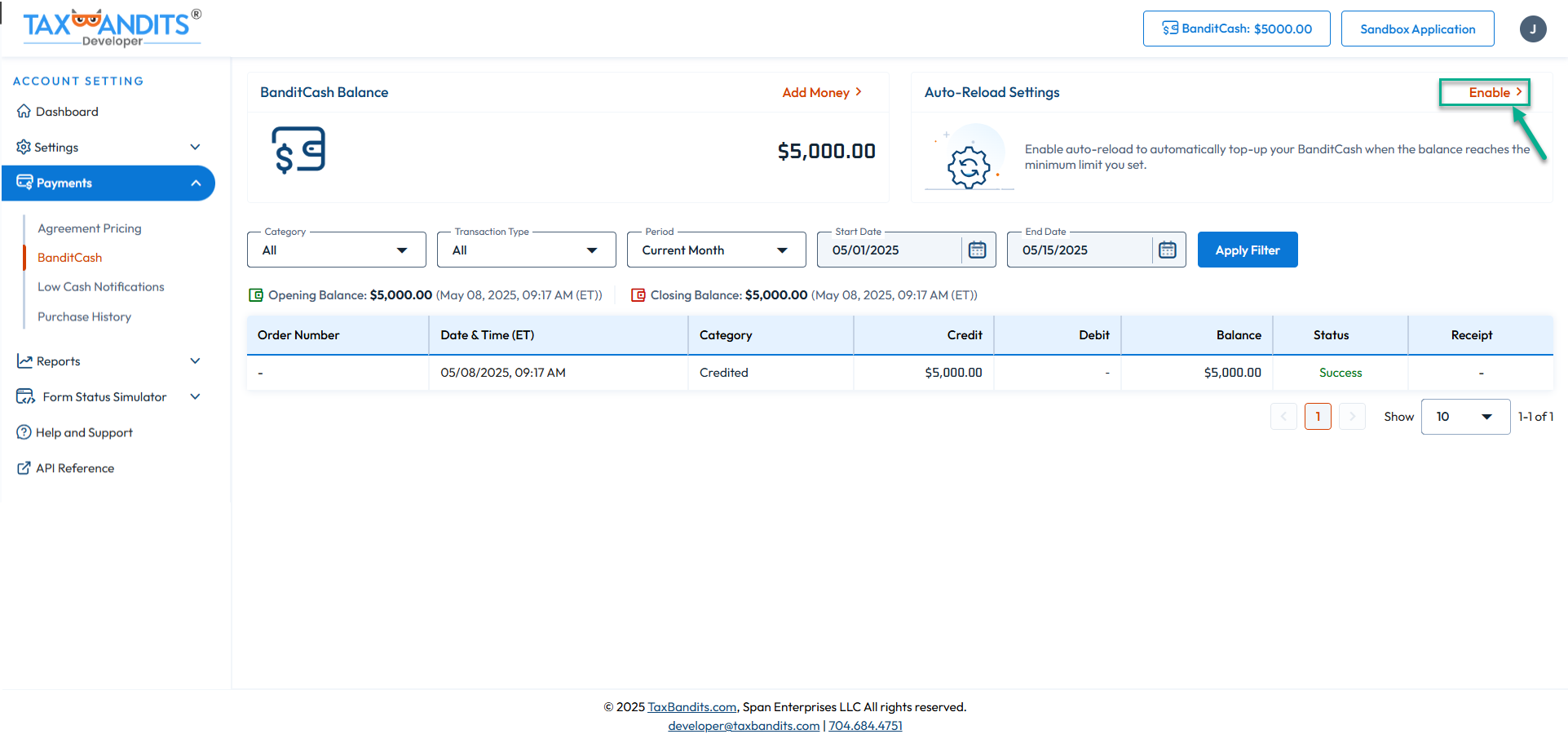
-
Set the minimum threshold for BanditCash balance to trigger auto-reload. Then, enter the amount to reload when the minimum balance is reached
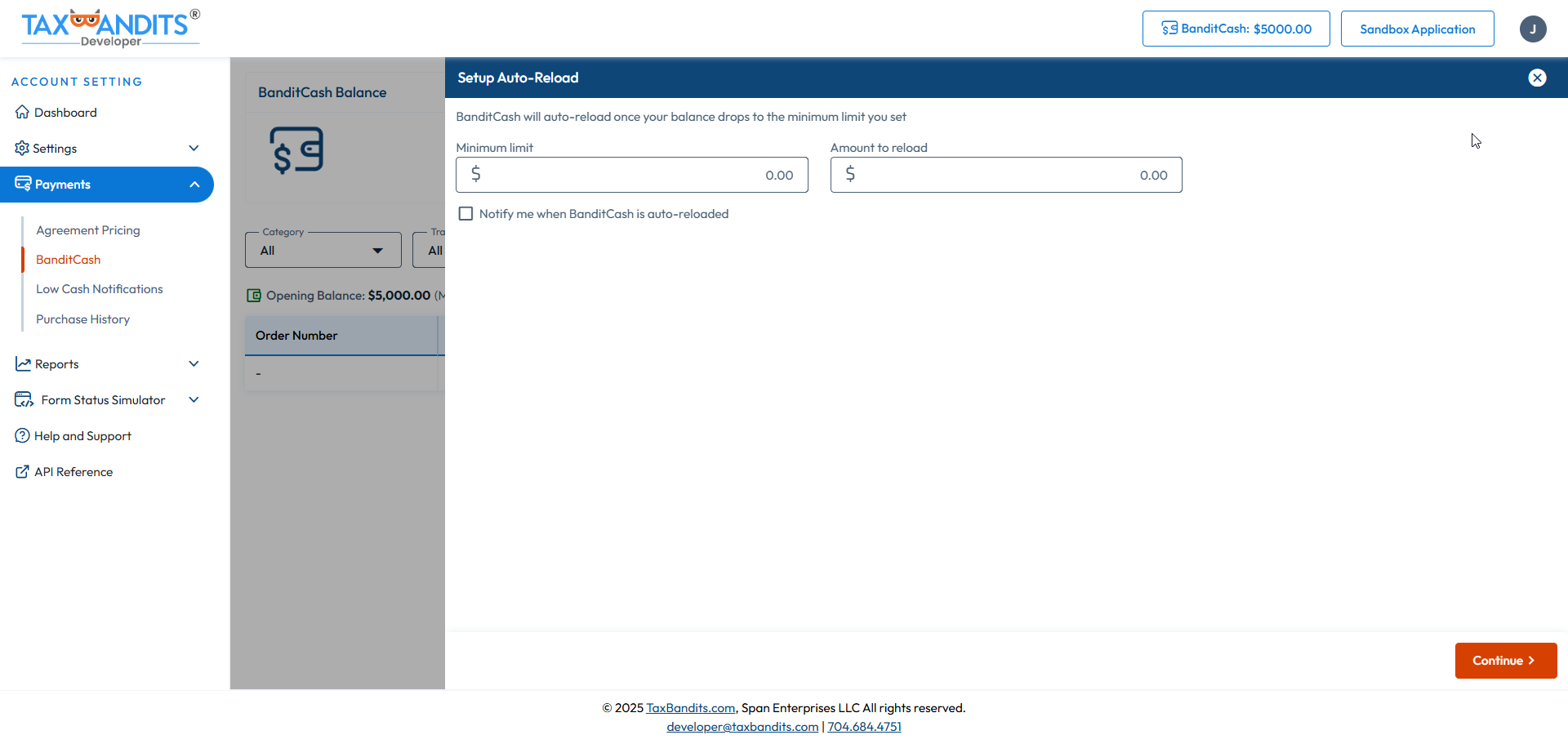
Once you enable auto-reload, it applies across all forms—no need to set up renewal threshold separately for each form/service type.
Key benefits
- Prevents interruptions due to insufficient wallet balance
- Simplifies payment management with a single configuration
- Ideal for high-volume or multi-service usage