W-9/W-8 Settings
The W-9/W-8 settings in the Developer Console allow you to configure key preferences that apply globally across your W-9 and W-8 collection workflows. These settings control which forms recipients can see, how PDF data is returned, and how TINs are handled in responses.
You can access these settings at: Developer Console → Settings → W-9/W-8 Settings.
Table of Contents:
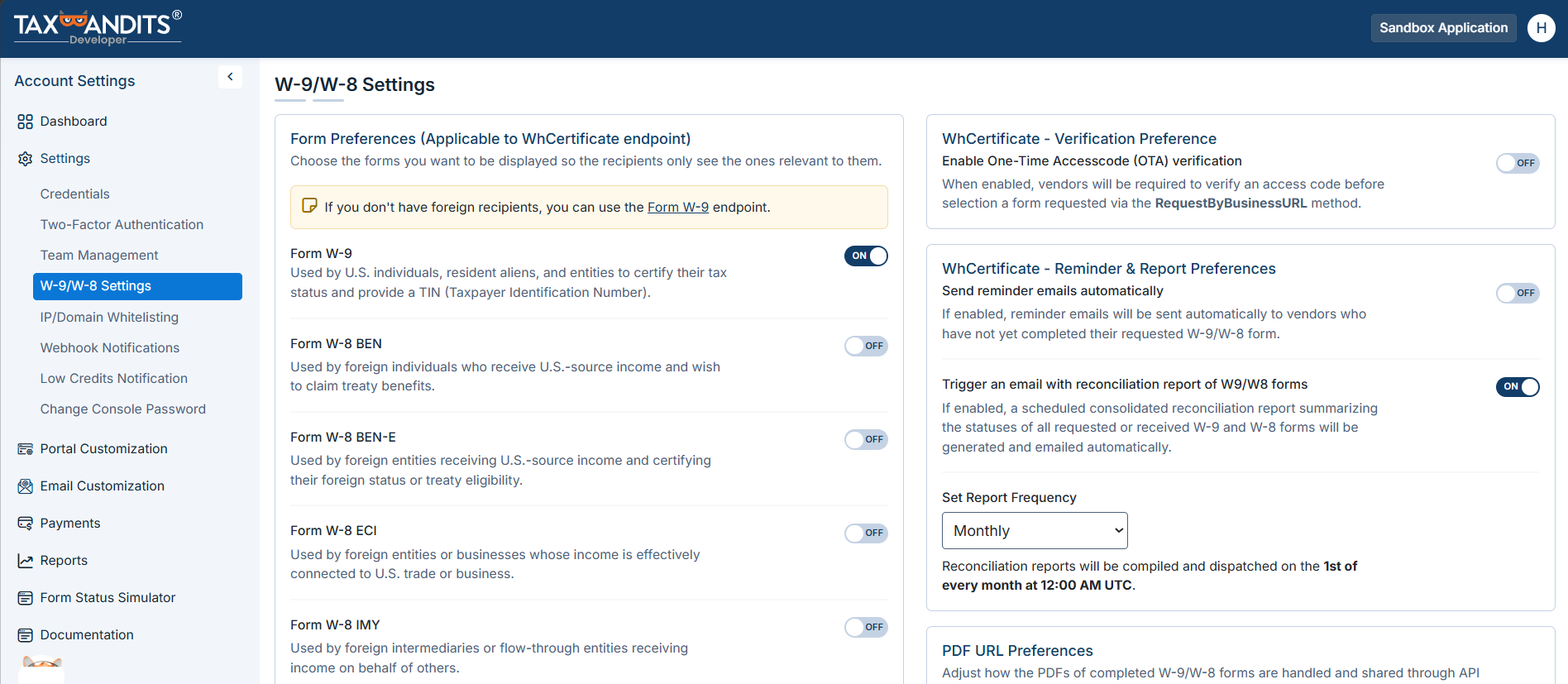
Form Preferences
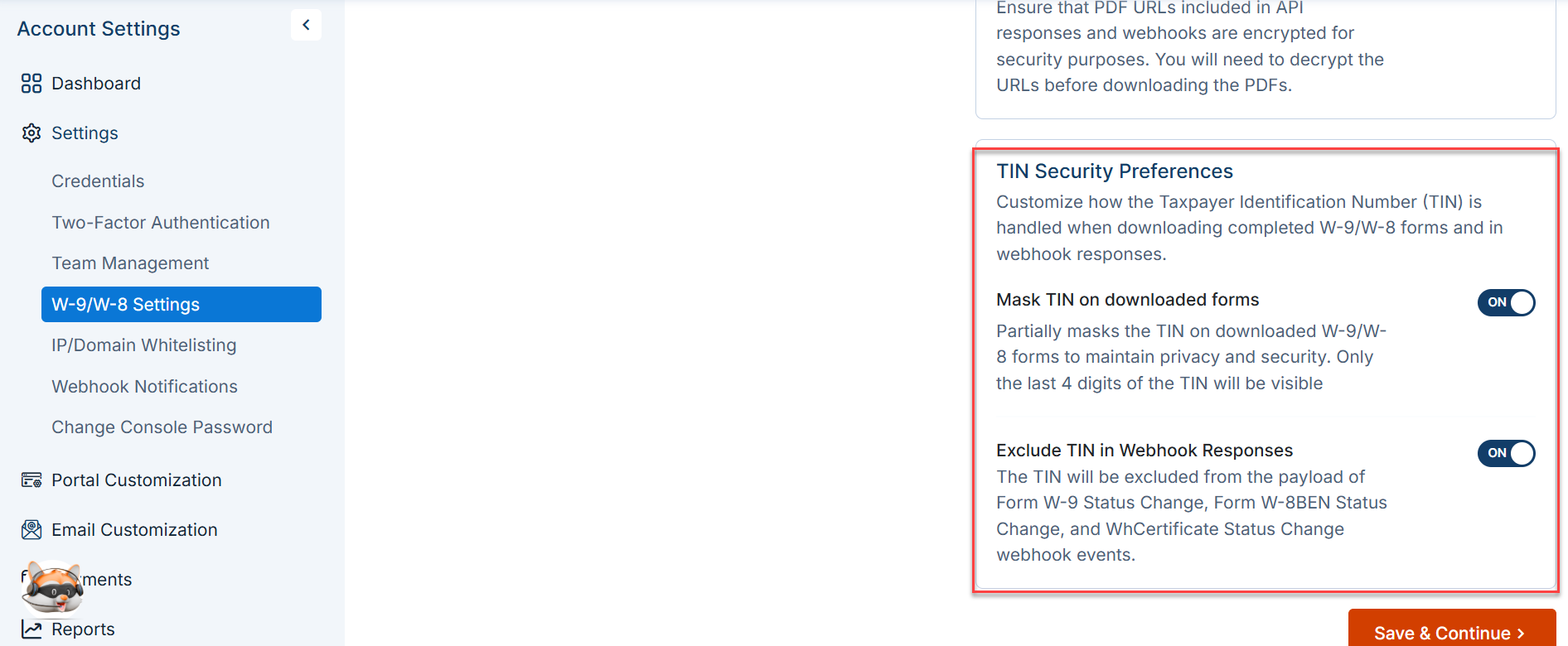
When you use the WhCertificate endpoint, recipients see a selection of forms to choose from. Form preferences let you control which forms are presented, so recipients only see the options relevant to your use case.
Key points
- Supported forms: W-9, W-8BEN, W-8BEN-E, W-8ECI, W-8IMY, W-8EXP.
- W-9 is enabled by default and cannot be disabled.
- If your platform serves only U.S. recipients, disable all W-8 form options to simplify the recipient experience.
- Disabling a form hides it from the recipient's landing page but does not affect previously submitted records.
Recipient verification
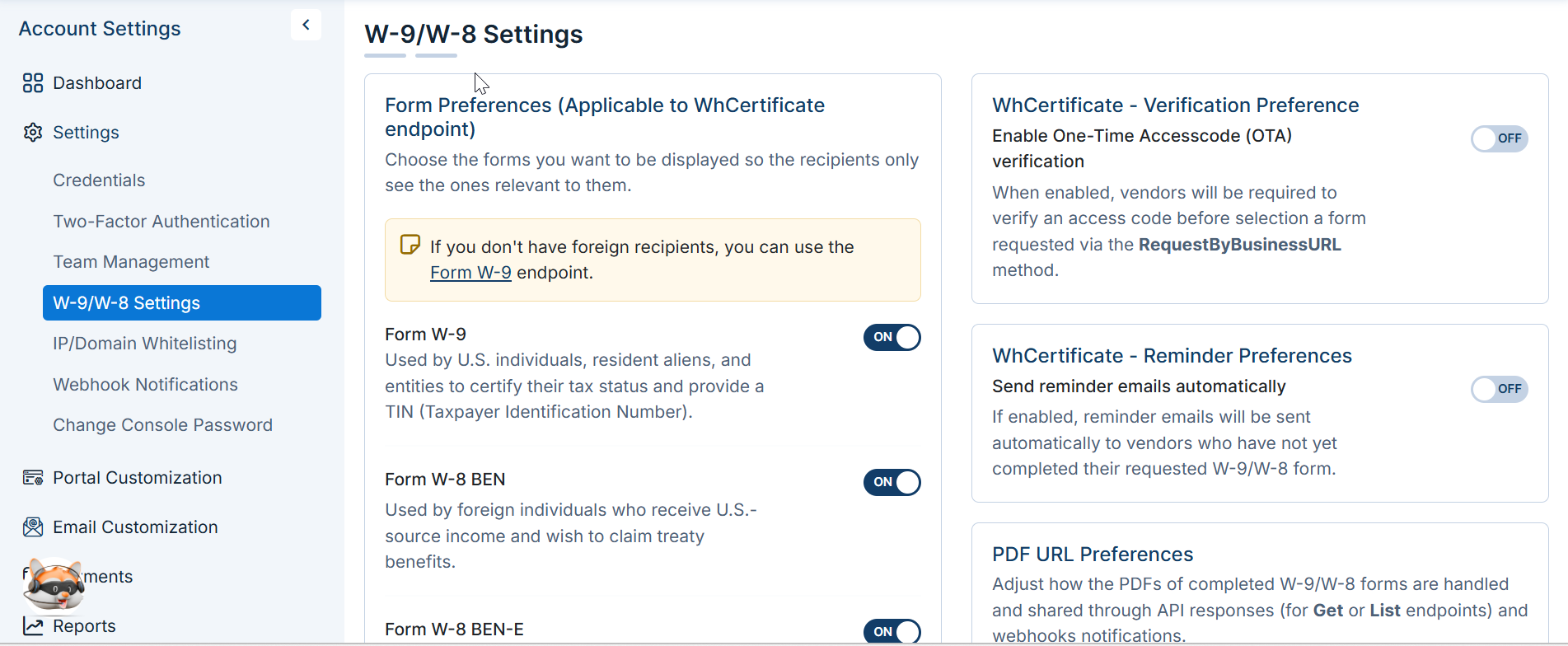
When you use the RequestByBusinessUrl endpoint, you can enable recipient identity verification to help prevent unauthorized W-9/W-8 submissions.
How it works
- Set the default authentication method in your developer console: Email, Phone, or Both.
- When recipients open the secure W-9/W-8 URL, they’ll be prompted to verify their identity using the selected method.
- A 6-digit One-Time Access (OTA) code will be sent to their email address or phone number, and they must enter the code to continue with the form submission.
Reminders
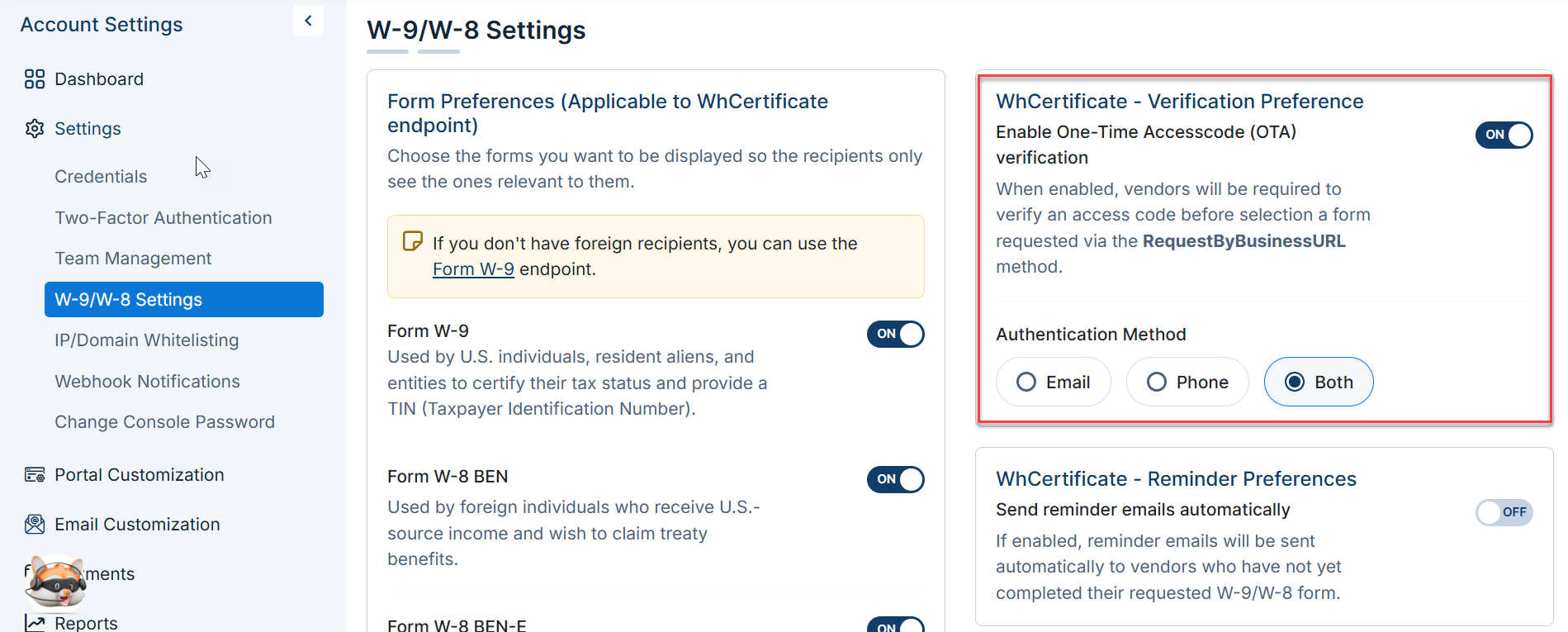
When using the RequestByEmail method, you can enable automatic reminder emails for recipients who have not yet completed their requested W-9/W-8 form.
How it works
- Turn ON reminder emails in your developer console and set the reminder interval in days.
- If the recipient does not complete the form within the specified number of days, a reminder email will be sent automatically.
- Reminders will continue based on the configured interval until the recipient submits the requested form.
W-9/W-8 Request Status Digest
Stay on top of your W-9/W-8 requests without manually checking the dashboard. When enabled, you'll receive periodic email summaries of your request statuses — including pending, completed, and failed requests. You can configure the frequency of these digest emails to match your workflow.
How it works
- Turn ON the status digest in your developer console and set the preferred email frequency.
- Set the preferred email frequency to match your workflow.
- At each interval, a digest email is sent summarizing the current status of all your W-9/W-8 requests. No digest is sent if there are no active or updated requests during that period.
PDF Preferences
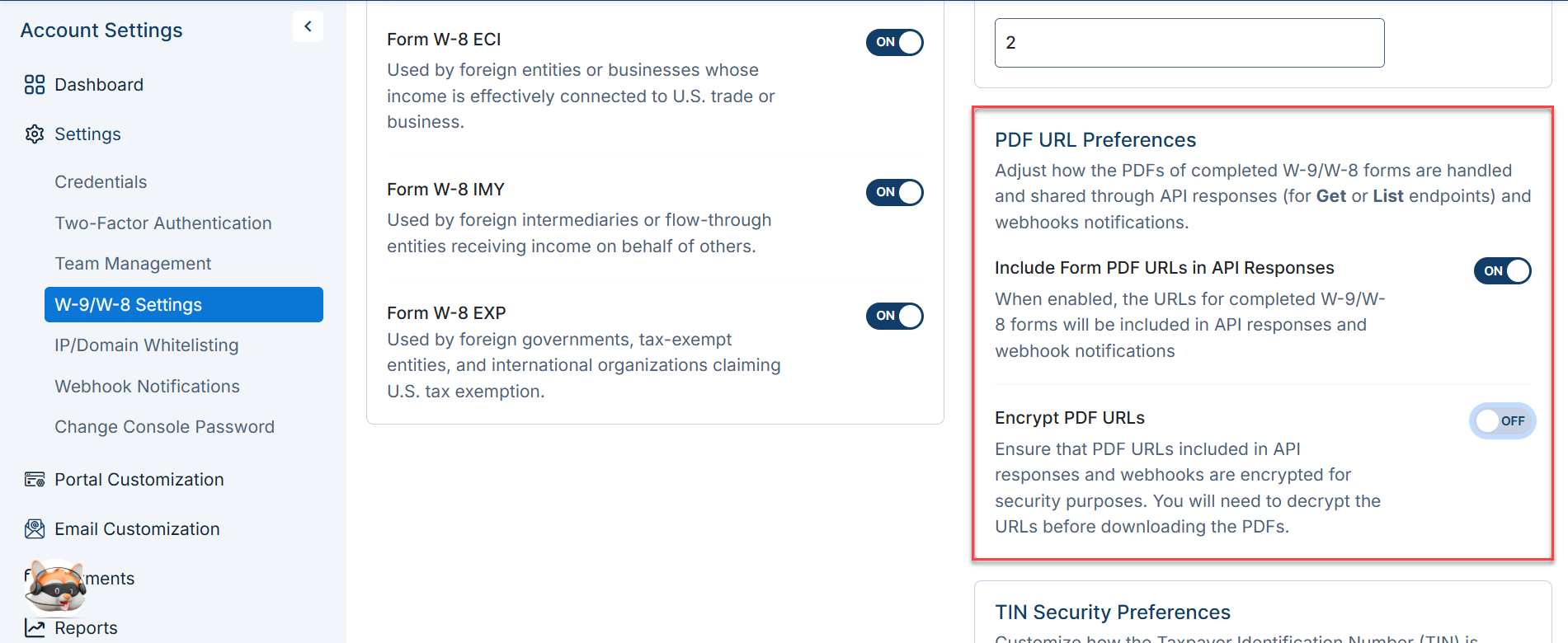
When you call the Get endpoint to retrieve a completed W-9, W-8BEN, or WhCertificate form, the API response includes a PDF URL pointing to the completed form document. This same URL is also included in webhook notifications.
Include/Exclude PDF URL
If you do not need the PDF URL in responses, you can disable it under W-9/W-8 Settings. When disabled, the PDF URL field is omitted from both Get responses and webhook payloads.
PDF Encryption
If the PDF URL is enabled in responses, you can choose to encrypt the URL to protect its contents. When encryption is enabled, the PDF URL in the response is encrypted and must be decrypted before it can be accessed.
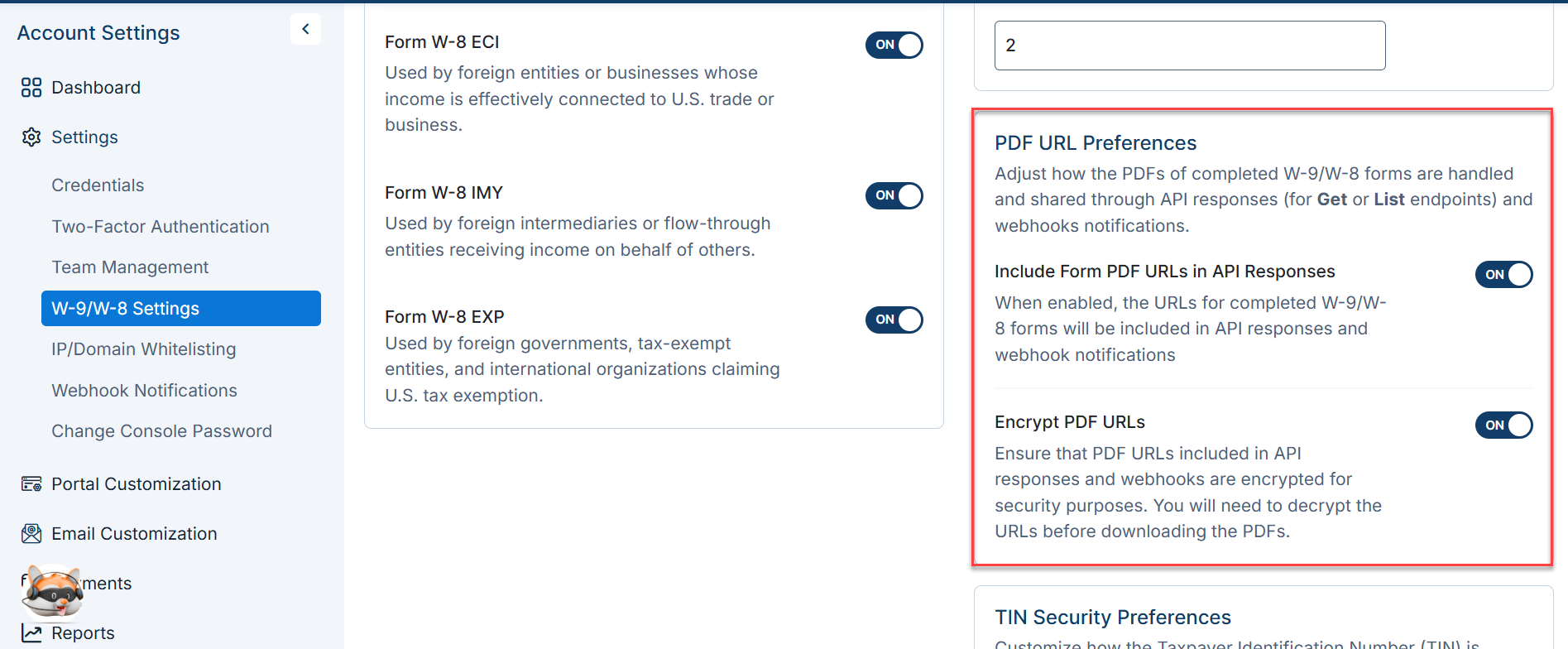
To decrypt the URL:
- Retrieve these credentials from your Developer Console under the Credentials section: AWS AccessKey, AWS SecretKey, Base64Key, and S3 Bucket Name.
- Use these credentials along with the S3 file path returned in the
Getresponse to decrypt and access the file.
TaxBandits strongly recommends enabling PDF encryption because W-9 and W-8 forms contain sensitive Personally Identifiable Information (PII),
TIN Privacy
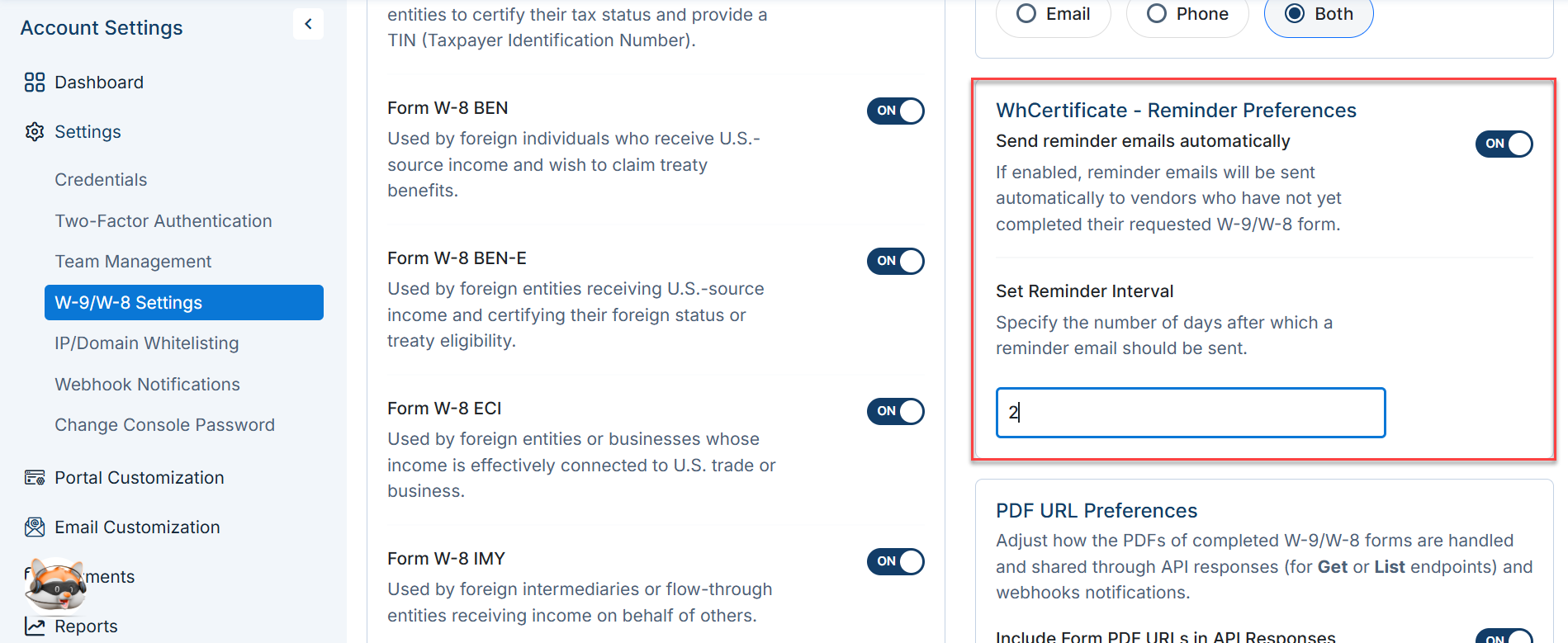
You can control how Taxpayer Identification Numbers are handled when forms are retrieved using the Get endpoint or returned in webhook payloads.
Mask TIN
When TIN masking is enabled, the recipient's TIN is masked in the W-9 or W-8 PDF — only the last four digits are visible (e.g., xxxxx1234). This setting applies to PDFs retrieved via the Get endpoint.
For security reasons, it’s recommended to mask the TINs unless your business use case specifically requires full visibility.
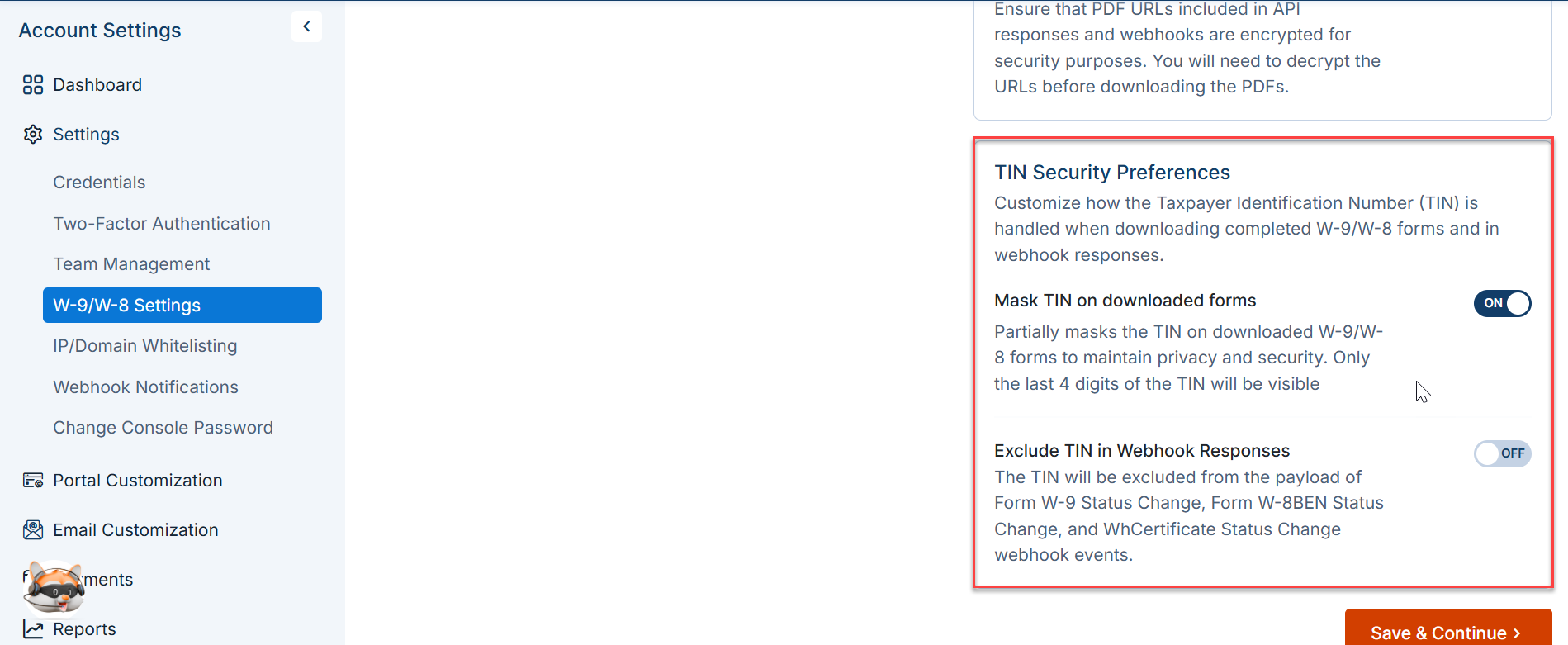
Exclude TIN in webhook responses
By default, webhook payloads include the full recipient TIN. If your webhook receiver should not have access to raw TIN data — for example, if it is handled by a third-party service — enable this option to omit the TIN from webhook payloads entirely.
For security reasons, it's recommended to include TINs in webhook responses only if your business use case demands it.